Feedback in practice
The Giving feedback page catalogs the six feedback types and where each lives in the interface. This page is about using them well. It goes through the mechanisms in order of weight — from one-click reactions up to run-level notes and the profile-edit step — with an example of good usage and bad usage for each.
The examples follow the Focused: Bayesian cosmology starter template. Substitute your own field throughout; the mechanics are identical.
The loop, in one paragraph
Nothing in Aparture learns silently. Feedback accumulates locally as you react; when you run Suggest improvements, it reads everything you've marked and proposes profile edits, each with a written rationale, and you accept or reject each edit individually; the next run reads the edited profile. So the loop is only as good as two things: the quality of the feedback you give, and the judgment you apply to the proposed edits. Most of this page is about the first; the last sections cover the second.
Stars and dismissals: the one-click signals
Available on any paper card from the score-review gate onward, including inside a rendered briefing. Both are toggles: only the current state counts, so there is no cost to changing your mind.
The bar for a star is "I would have opened this from the arXiv listings anyway" — not "interesting."
- ✓ Good star: a paper applying simulation-based inference to gravitational-wave populations. Squarely the profile's center; starring it confirms the pipeline's read.
- ✗ Bad star: starring eight of the briefing's ten papers because they're all vaguely relevant. A near-universal star teaches nothing — the signal is in the contrast between what you star and what you don't.
The bar for a dismissal is "this should not have made the page" — it is a relevance verdict, not a reading-list decision.
- ✓ Good dismissal: a detector-characterization paper that scored well on technical quality but has nothing to do with inference methods. That's a profile leak, and the dismissal marks it.
- ✗ Bad dismissal: dismissing a relevant paper because you already saw it on Slack, or because you've read the preprint. The suggest step reads dismissals as "not my area" — using them as "already seen" quietly teaches the profile to exclude work you actually care about.
Paper comments: when a click can't carry the reason
The + comment button on any paper card (and the 💬 button on Gate 1 filter rows). Comments are where nuance lives, and they're the strongest per-event signal the suggest step sees. Compare:
✗ "not relevant"
✓ "I care about hierarchical inference methods, not this specific supernova dataset — the method here is standard MCMC"
The first gives the suggest step nothing to act on. The second separates the method (wanted) from the application (incidental) — exactly the distinction a profile edit can encode.
Comments work on starred papers too:
✓ "more of this — the likelihood-reweighting trick in §3 is the kind of method transfer I want to see even when the application is outside cosmology"
Unlike stars and dismissals, comments accumulate — each one is a separate entry, and the suggest prompt includes the most recent 30 per type. One specific comment outperforms a week of silent stars.
Gate 1 verdict overrides: correcting the filter
At the filter-review gate, clicking a different verdict pill moves the paper and records an override: NO → YES is a "profile too narrow here" signal, YES → NO a "too broad" one.
- ✓ Good override: the filter said NO to a nested-sampling methods paper because the abstract framed it as an exoplanet study. Flipping it to YES both rescues the paper for this run and tells the loop the profile under-weights method papers wearing application clothing.
- ✗ Bad override: flipping fifteen papers one at a time because the whole MAYBE bucket has the same problem. Overrides are per-paper corrections; when the pattern is bucket-wide, one bucket note (next section) says it better and doesn't drown the signal in repetition.
The pills stay live after the run, so you can come back to the filter results in the Pipeline view and correct a verdict later. A change then is recorded for the profile and leaves the finished briefing alone.
One caution: an override is a profile signal, not just a run edit. If you want to read an off-profile paper out of one-off curiosity, don't flip its verdict — you'd be teaching the profile that this is your area. Star it at the score-review gate instead, which guarantees it a deep read for this run without recording a relevance correction.
Scoped notes: when the pattern is bigger than a paper
Three free-text fields attach observations to a scope rather than a paper. These are the highest-leverage feedback in the system: one sentence can carry what a dozen clicks can't.
Bucket notes (Gate 1, "+ feedback on this bucket"):
✓ "half the MAYBEs are ML-for-astronomy papers with no statistical content"
Scoring-round notes (Gate 2, "feedback on this scoring round"):
✓ "survey and white papers keep scoring 7+ but I never read surveys"
Run notes (under the briefing):
✓ "the executive summary keeps leading with the highest-scored paper even when the real theme is elsewhere"
And the failure modes:
- ✗ "scores seem off" — no direction; the suggest step can't tell too-generous from too-strict, or on what.
- ✗ Using a run note to complain about one paper. That's a paper comment's job — anchored to the paper, it's a far stronger signal.
Scoped notes are latest-wins per scope per run day: writing a second scoring-round note for the same run replaces the first. So refine the note rather than appending to it — it should read as your current assessment of that scope.
General comments: stating intent directly
The + Add a comment box in the Feedback panel is for profile-level guidance that isn't a reaction to any specific paper or stage:
✓ "I'm shifting toward field-level inference for large-scale structure for the next few months — weight LSS papers accordingly"
This is the most direct channel you have: the suggest step treats it as intent, not inference. Use it when your research direction moves — that's a fact the loop cannot learn from stars and dismissals until weeks later.
- ✗ Bad general comment: "the third paper in theme two was bad." Unanchored references age poorly; by suggest time, "third paper in theme two" means nothing. Put it on the paper.
Turning feedback into profile edits
Suggest improvements (on the Profile page and in the Feedback panel) is where accumulated signal becomes profile text. The how-much-is-enough table gives calibration; as a rule, a mix of ~10–30 events with a few comments in it is enough for concrete edits.
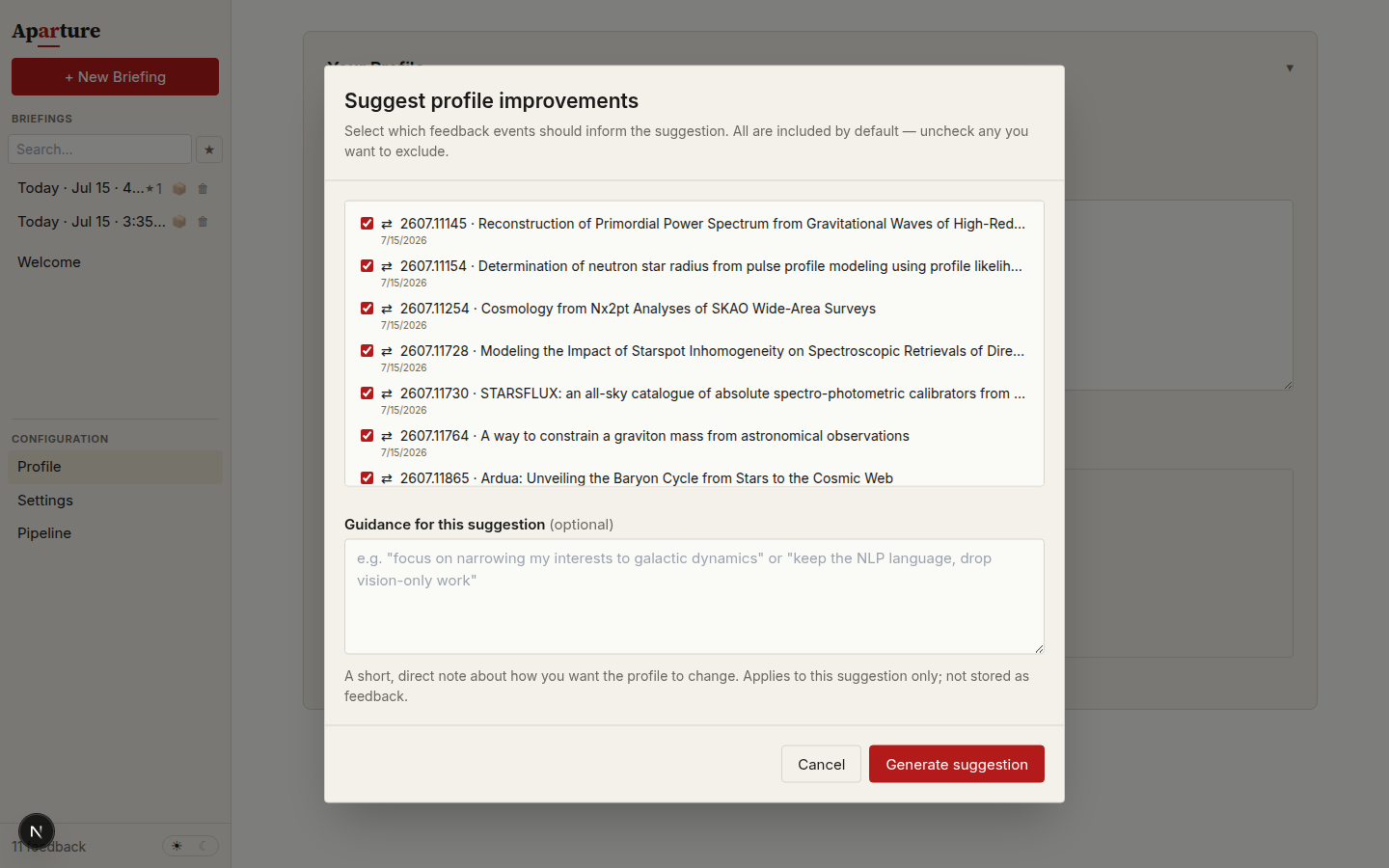
Read the proposed diff the way you'd read a referee report on your own abstract:
- Accept edits that name a real pattern in your feedback. If you dismissed three detector-calibration papers and the edit adds "not instrumentation or calibration work," that's the loop working.
- Reject edits that overfit a single event. One dismissed neutrino-cosmology paper does not mean you never want neutrinos; if the edit is that aggressive, reject it and leave a comment on the next such paper instead.
- A "no change" response is honesty, not failure. Thin or contradictory feedback legitimately yields no defensible edit, and the dialog says why.
Accepted edits become the new profile; the old version stays in revision history, so nothing here is destructive. Rejecting is cheap too: a rejected edit is remembered and kept out of later suggestions unless new feedback makes the case again, and the feedback behind it stays pending.
What improvement looks like
Signals that the loop is converging, in roughly the order they appear:
- Fewer verdict overrides at Gate 1. The filter reads your profile directly, so a tightened profile shows up here first.
- Fewer dismissals in the briefing. The papers that reach the page deserve to be there.
- The borderline group at Gate 2 stops surprising you. Papers near the cutoff are genuinely near your interests' edge, not category errors.
- The briefing's lead reads like your priorities. Themes group the way you would group them.
What "done" looks like: you stop editing the profile weekly and start editing it when your research direction actually moves. The profile is memory, not configuration — it should change at the rate your interests change.
Two ways this goes wrong
Overfitting. If you accept every proposed exclusion, the profile converges to "only papers exactly like the ones I starred" and you lose the discovery function — the paper that matters is often adjacent to your interests, not inside them. Keep at least one sentence of genuine breadth in the profile ("I also want occasional exposure to major results in neighboring areas"), and be suspicious of any suggested edit that deletes it. The scoring rubric explicitly calibrates strictness to the profile's breadth, so that sentence does real work.
Under-feeding. Stars, dismissals, and overrides go into the suggest prompt uncapped until an accepted change cites them, but they're blunt on their own. If you only ever click and never say why, the proposed edits will be blunt too. When a proposal feels light, the fix is usually one good comment or scoped note, not more clicks.
Related pages
- Giving feedback — the full reference for every feedback type and where it flows.
- Refining over time — the suggest flow in detail, including revision history and reverting.
- Writing a good profile — for when you'd rather edit the document directly than wait for the loop.